
Jupyter is a loose acronym that stands for Julia, Python, and R. These were the first programming languages supported by the Jupyter application. However, today Jupyter Notebook supports a wide range of languages beyond these three.
In 2001, Fernando Pérez began developing IPython, a command shell designed for interactive computing. Originally tailored for Python, IPython evolved to support multiple languages and introduced many features that became the backbone of Jupyter Notebooks.
Matplotlib in Jupyter Notebook provides a powerful, interactive environment to create visualizations right beside your code, enabling seamless data exploration and explanation in analytics or machine learning workflows.
In 2014, Fernando Pérez announced the separation of the language-agnostic parts of IPython into a new project called Project Jupyter. IPython continues as the Python kernel for Jupyter, while Jupyter expanded support to other languages like Julia, R, Haskell, and Ruby.
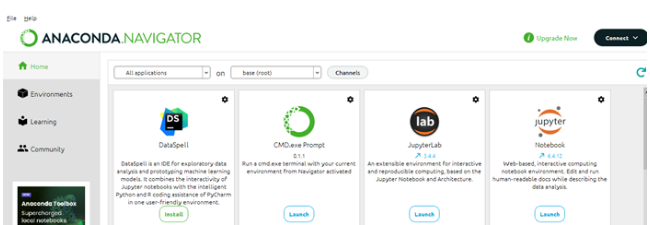
jupyter notebook in Anaconda Prompt/Terminal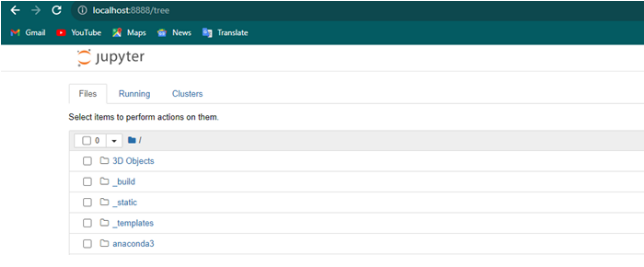
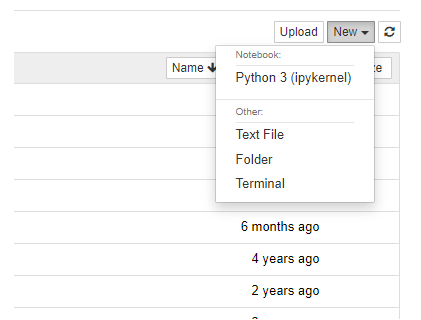
In a Jupyter Notebook cell, import the necessary Matplotlib library:
The magic command %matplotlib inline ensures that plots appear directly below the code cells within the notebook.
Let’s use NumPy and Matplotlib to create a simple sine wave plot:
Output:
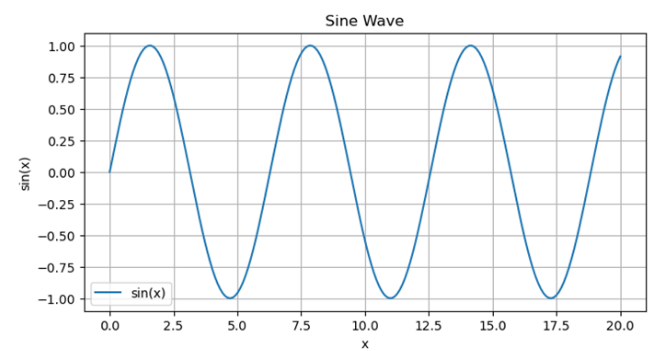
By default, %matplotlib inline generates static plots. To allow panning, zooming, and interactivity, replace it with:
To save a plot as an image file (e.g., PNG):
After completing your work, you can shut down the notebook from the browser interface or close the terminal/Anaconda prompt that launched it.
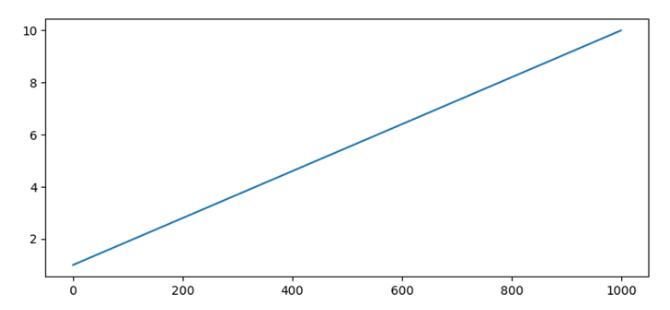
To avoid seeing object descriptions like [<matplotlib.lines.Line2D at ...>], use either of the following:
Output:
Jupyter Notebook combined with Matplotlib offers a powerful platform for data analysis and visualization. Its interactive nature, inline plotting, and markdown capabilities allow users to tell compelling stories with data, all within a single, shareable environment.
With the power of tools like Matplotlib and environments like Jupyter Notebook, students and professionals can explore data effectively and produce insightful visualizations — a skill essential in modern data-driven industries.